

About
SportsTracker is an application for people who want to track their sporting activities. It is not bound to a specific kind of sport, the user can create categories for all sport types such as cycling, running, swimming or tennis.
The main advantage is a good overview of your exercises, you can easily create diagrams and statistics for specific date ranges and sport types. In the calendar you can also track your body weight or create note entries, e.g. the training plan or upcoming sport events.
All the application data is stored in a local SQLite database. So it is very easy to access them with SQLite database tools or to write importers and exporters for other applications.
If you are using a sport watch or another tracking device with a computer
interface you can display the recorded exercise files and evaluate the diagrams
with the integrated ExerciseViewer application.
You can organize them by attaching the recorded files to the exercise entries.
When adding new exercises you can import the data from the recorded exercise
files.
ExerciseViewer supports Garmin, Polar, Timex, Suunto, CicloSport, Oregon, HOLUX and Kalenji tracking devices. This is the current compatibility list (other devices might work too, but I can't test them, user feedback is welcome):
- Garmin Edge (tested with Edge 500, 520, 530, 705, 820, FIT and TCX files)
- Garmin Forerunner (tested with Forerunner 35, 305, 910XT, 645, FIT and TCX files)
- Garmin Oregon (tested with Oregon 450, GPX files)
- Garmin Fenix (tested with Fenix 2, 5X, 6, 6S Pro, FIT files)
- Polar S610(i), S710(i), S720i, S725 (tested)
- Polar S510, S520 (tested)
- Polar S410, S625x (tested, HRM files only)
- Polar RS200SD (tested)
- Polar RS400, RS800 (initial support)
- Polar CS600 (tested, HRM files only)
- Polar F6, F11 (tested)
- Polar RCX3 (tested, HRM files only)
- CicloSport HAC4, HAC4Pro, HAC5 (tested)
- Timex Ironmen Race Trainer (tested)
- Timex Ironmen Run Trainer (tested)
- Timex Ironmen Global Trainer (tested)
- Suunto Ambit (tested with Ambit2, downloaded GPX files)
- Suunto Spartan (tested with Spartan Sport Wrist HR Baro, FIT files)
- Oregon Scientific SmartSync WM100 (tested)
- HOLUX FunTrek (tested with FunTrek 130, GPX files)
- Some Sony Ericsson mobiles (tested with W580i)
- W Kalenji 300, CW Kalenji 700 (tested, GPX imports)
- All devices recording GPX files (tested some models)
Users of tracking devices with an integrated GPS receiver (e.g. the Garmin Edge series) can also view and replay the track of the recorded exercises in the interactive map viewer component.
SportsTracker itself is not able to download the exercise files from the tracking device. Some monitors (e.g. Garmin) allow the direct download via USB. For other monitors you might need one of the existing external tools.
Screenshots
- Exercise editing and ExerciseViewer (macOS 14, ST 8.0.0)
- Overview diagram (macOS 14, ST 8.0.0)
- Creation of statistics (macOS 14, ST 8.0.0)
- Exercise track in map viewer (macOS 14, ST 8.0.0)
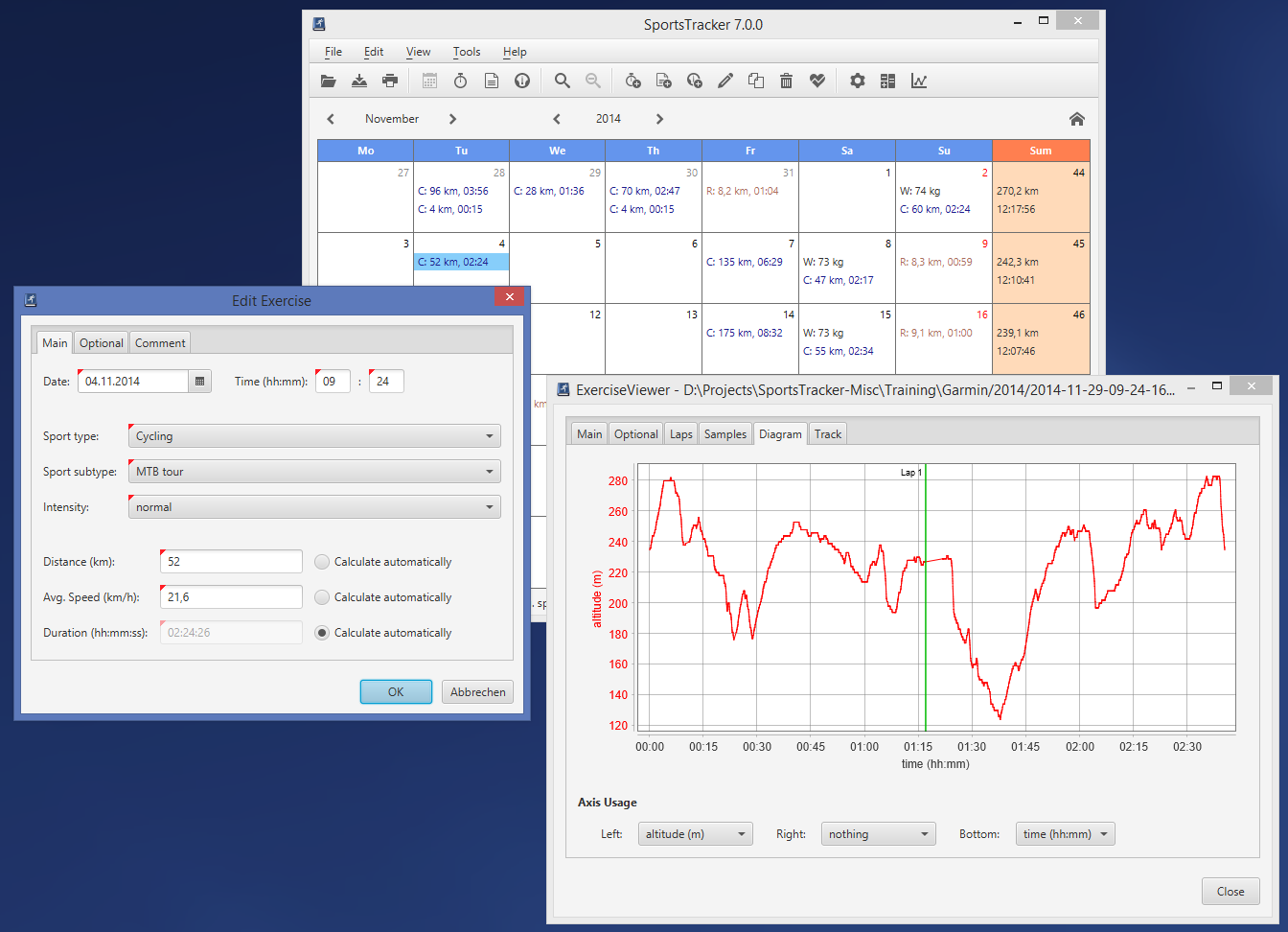
- Exercise editing and ExerciseViewer (Windows 8.1, ST 7.0.0)
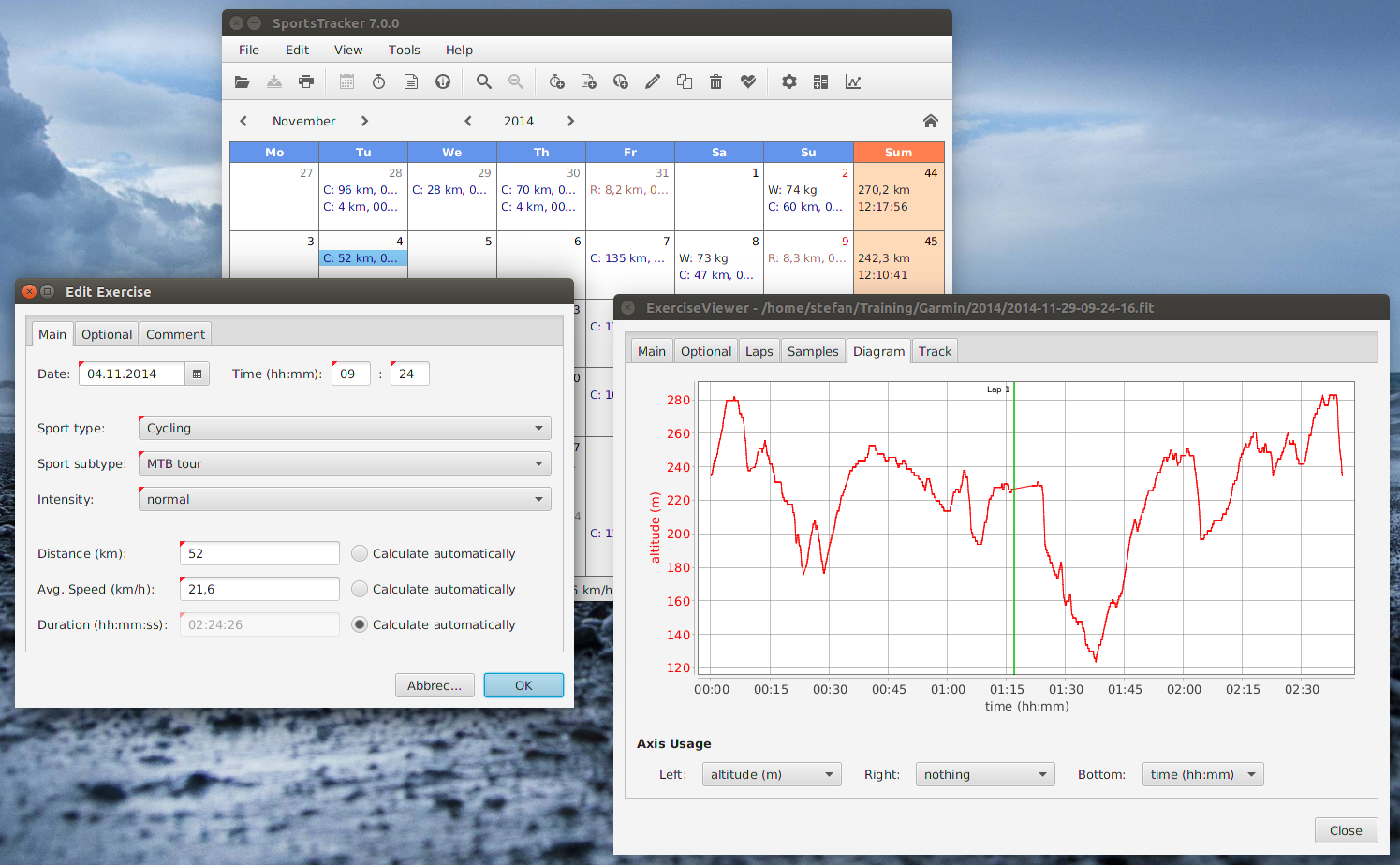
- Exercise editing and ExerciseViewer (Ubuntu 14.04, ST 7.0.0)


News
- 2025/10/08: SportsTracker 8.1.0 has been released with the focus on
enhancing the Notes and Statistics capabilities. Notes can now be
created for specific sport types and equipments. And statistics can be
created easily from any Exercise or Note entry. So you can e.g. track
the maintenance periods when creating equipment-specific notes and
creating statistics since that note entry. Example: how many km has a
chain been driven since the Note of last replacement?
All dependencies and some translations (Spanish, German) have been updated, some bugs have been fixed as well. Details of all changes can be found in the changelog.
This release removes the support for reading old application data from XML files! In case you're using SportsTracker up to 7.x you need to update to version 8.0 first, which migrates the application data to a SQLite database. Then you can update to the most recent version. - 2024/12/27: SportsTracker 8.0.2 has been released. This minor update adds small improvements
in ExerciseViewer (pause time in FIT files and proper lap split calculation). All dependencies have
been updated and some bugs have been fixed.
Details of all changes can be found in the changelog. - 2024/01/21: SportsTracker 8.0.1 has finally been released. This minor update
fixes a bug in all list views (Exercise, Note and Weight) of the application, the editing
of entries and list updates are working fine again. For macOS 14 (Sonoma) users the slow
app startup has been fixed, thanks to bugfixes in JavaFX. All other dependencies have
been updated as well.
Details of all changes can be found in the changelog. - 2023/11/12: SportsTracker 8.0.0 has finally been released. The major
change is the storage of all application data in a SQLite
database instead in multiple XML files. This provides better performance and avoids
consistency problems. In addition, all users with basic SQL skills can now use external
SQLite clients and build custom training evaluation queries for their specific needs.
All existing application data will be migrated automatically from XML to SQLite on the
initial startup.
Besides that, the updated LeafletMap viewer for showing tracks supports the OpenTopoMap now. Several improvements and bugfixes were done in the exercise parser implementations (Garmin FIT, GPX, etc.). Java has been updated to the version 21 LTS, all other dependencies were updated as well.
The list of all changes can be found in the changelog. - 2023/01/25: Version 7.9.1 has been released, which contains several minor
improvements, bugfixes and dependency updates. The ExerciseViewer now supports
newer Garmin devices and the mapping of sport types can now be automated when
importing FIT files (documented in README.txt).
The search for entries now supports multiple search terms (AND logic). For the
SQLite export the database model has been improved as well.
The list of all changes can be found in the changelog. - 2022/01/02: Version 7.9.0 has been released, which contains some new features
in the ExerciseViewer. Power data from FIT files (e.g. Garmin) can now be displayed
(if recorded) in various panels (e.g. in Diagram). Heartrate zones are now supported
for FIT files and can be displayed in the Main and Diagram panels. The Main panel
now also displays the sport type if present (e.g. for Garmin and Polar files).
In addition there were several updates (e.g. JDK 17, Kotlin 1.6) and bugfixes. The list of all changes can be found in the changelog. - 2021/06/26: The SportsTracker release package downloads have been finally migrated from SourceForge to the GitHub SportsTracker project page. From now all project resources are available on this central place. You can find the downloads on the Releases page.
Initially only the packages of the latest release 7.8.0 have been migrated. Please contact me if you need previous package versions for some reasons.
The SportsTracker project page at SourceForge has been closed, since it has been used for the package downloads only. - 2021/04/06: Users of macOS and Windows 10 might have problems when using the native installer packages, because these don't contain trusted code signing certificates. These can't be provided by an individual open source project, the expense and the effort are just too high. However, there are easy workarounds for using the installers anyway, these are documented in the latest README.txt, chapter 'Installer security notes for macOS and Windows 10 users'.
Requirements
SportsTracker is an application for the Java platform written in Java and Kotlin. It was developed and tested with the OpenJDK JVM, other JVM implementations will probably work too.
The SportsTracker installer packages contain an embedded Java SE Runtime Environment (JRE), a Java installation is not needed. Users of binary packages need to install the JRE before, the OpenJDK can be downloaded e.g. from the Adoptium project website.
If you want to download exercise files from your heartrate monitor you might need one of the tools listed above.
The application was tested on GNU/Linux (e.g. Ubuntu 24.04), Windows 11, macOS (14 - 15), although it should work on all systems with the required Java Runtime Environment.
Installation
For Windows, Mac and some Linux systems there are native installer packages available on the GitHub project release page. They include an embedded JRE, so you don't need to install Java before. The installers will create a menu entry for easy SportsTracker startup.
If you are not using an installer, you need to download the ZIP archive with the application sources and build the application locally. Please see the included README.txt file for detailed installation instructions.


Contact
Please use the issue tracker on the GitHub project page when you have comments, suggestions or problems with bugs.
If you want to contribute improvements or translations, feel free to fork the GitHub repository and submit Pull Requests. It would be great when bigger changes could be discussed before starting the implementation.
License
This program is free software; you can redistribute it and/or modify it under the terms of the GNU General Public License as published by the Free Software Foundation; either version 2 of the License, or (at your option) any later version.